Find your mark
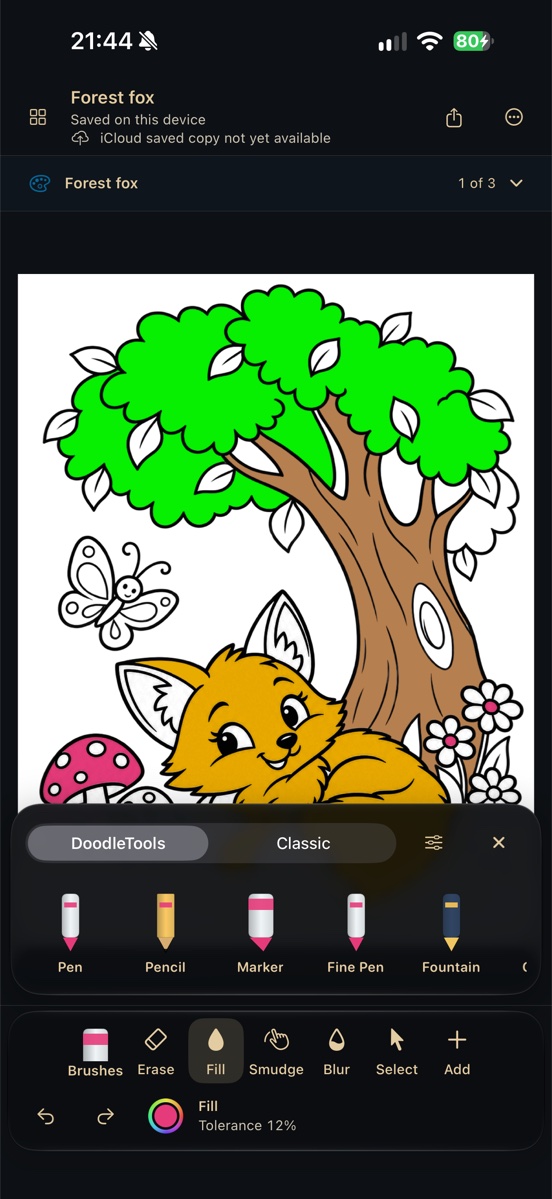
Draw with a finger or Apple Pencil. Explore expressive DoodleTools alongside classic drawing tools, with color, size, Undo and Redo within reach.
 Now available on the App Store
PDG: Play, Draw, Grow. Find your mark with expressive brushes, build a scene from illustrated pieces, or bring a coloring page to life. Start simply and grow into a more capable studio.
P.D.G. Drawing 1.0 is here for iPhone and iPad. Free to download, with optional Pro subscriptions. See what’s included.
A silent animation reveals the colorful P.D.G. Drawing app icon, followed by “Now Available,” the app name and a Download on the App Store badge.
DoodleDNA collects your real letters, numbers and punctuation into writing profiles. Build Print or Cursive collections and watch your writing take shape.
For Child and Beginner, collecting samples, creating the current year’s font and using it inside the app remain free. Pro unlocks font-file export and access to earlier years’ fonts. Kids-mode export also requires the Parent gate. Historical samples and fonts stay preserved, and existing artwork keeps its appearance when Pro expires.
Font creation needs sufficient samples. Personal writing-profile iCloud sync is separate from drawing storage; it does not merge devices’ canvas libraries.
Create, draw, save, reopen and use local history without an internet connection. Home Recents and Library show this device’s own drawings—not a mixture of remote previews and downloads.
Background backup is separate from local saving. A waiting iCloud copy does not lock your canvas or prevent you from opening it. Use an editable export for a copy you can keep separately; do not assume a preview is a complete backup.
Live collaboration, other-device drawing libraries and automatic or on-demand canvas downloads are deferred. Existing cloud copies are retained, not deleted.
Child, Beginner, Intermediate and Advanced experiences offer different amounts of control. Custom visual presets remain optional, without replacing your current layout.
Draw with a finger or Apple Pencil. Explore expressive DoodleTools alongside classic drawing tools, with color, size, Undo and Redo within reach.
Combine drawing, movable objects, shapes, text and photos. Pro adds deeper Layer, Group and advanced selection controls. Previously created artwork stays accessible.
Place and resize text, adjust its style and background, and use a completed personal handwriting font. Personal font export and earlier-year font browsing require Pro.
Import a chosen photo, crop it for a composition, try editable adjustments or trace it. Pro photo Retouch offers more focused local editing.
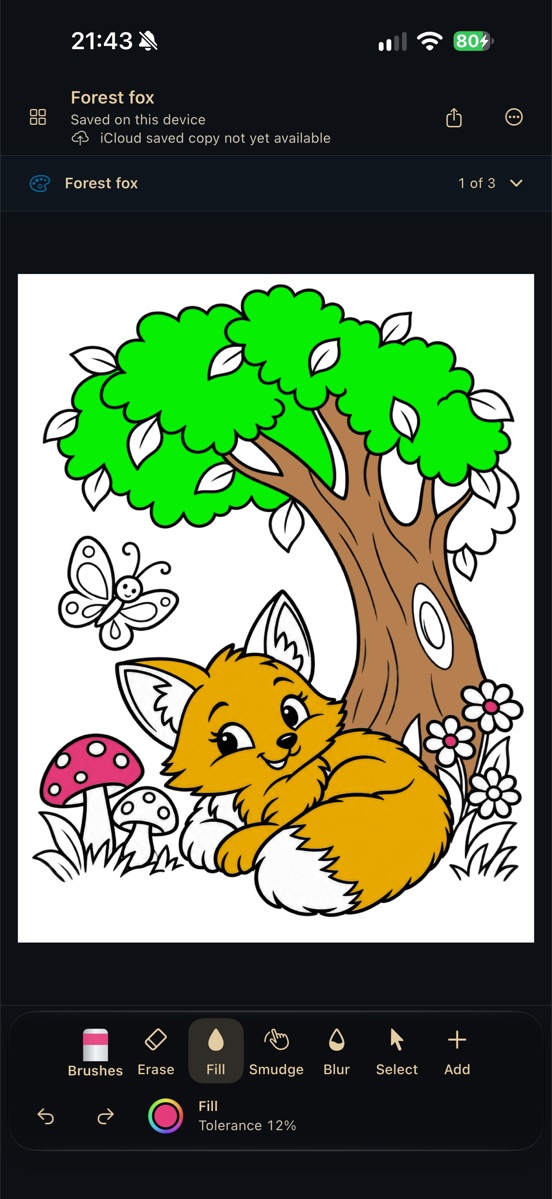
Explore illustrated coloring pages, reusable scene pieces and shapes. Some coloring activities require Pro; available content is shown in the app. Learning and shop games are separate projects, not part of this release.
View local canvas history and reopen your artwork for free. One free branching allowance is shared by an original drawing and all its descendants. Pro adds unlimited branches without consuming an unused free allowance.
Real physical-iPhone captures from build 146—not concept mockups. Illustrated coloring activities may require Pro. Appearance and available controls vary by experience and device.
No third-party ads. A useful free drawing experience, with optional Pro features clearly marked. No cap on creating or saving drawings. The Parent gate remains separate from a Pro subscription.